
How to Prepare Your Snow Removal Business Before the First Storm
The first storm has a way of exposing everything that wasn’t ready.
A driver can’t find the entrance to a property. Someone doesn’t know where to stack the snow. A truck has an issue that should have been caught last week. Your phone starts ringing while you’re still trying to get crews out of the yard.
You can’t control when the snow arrives, but you can prepare your business so fewer decisions depend on you once it does.
Here’s a practical checklist to get your properties, people, and equipment ready before the first snow event.
1. Give Every Property Clear Service Instructions
A signed contract tells you what you’ve sold. Your crews need instructions that tell them what to do.
Review each property and document:
- Which areas need plowing, shovelling, or de-icing.
- The service trigger and any timing requirements.
- Where crews should place snow.
- Areas where snow must never be stacked.
- Access restrictions, gate codes, and property contacts.
- Obstacles or surfaces that require extra care.
Avoid instructions like “the same as last year.” Returning employees may remember the property, but new employees and backup drivers won’t.
Keep these details with your property and job information so they’re easy to find. Using Crewscape to organize your clients, properties, and scheduled work gives your office a central place to prepare for the season.
The goal is simple: fewer unanswered questions when crews arrive on site.
2. Walk Your Properties Before They’re Covered
A curb is easy to see in October. It’s much harder to see under fresh snow at three in the morning.
Visit your properties before the season starts. Take photos and note existing damage, drainage areas, raised structures, tight turns, and anything an operator could miss.
Install markers where appropriate and identify snow stacking areas with enough room for later storms. A spot that works for the first snowfall may cause problems once the piles grow.
Use these visits to confirm customer expectations, too. Questions about access, parked vehicles, and snow placement are easier to resolve before the equipment arrives.
3. Build Routes Before You Need Them
Putting nearby properties together is a useful starting point, but distance alone doesn’t make a workable snow route.
Consider the service requirements at each stop, the equipment needed, the expected time on site, and when the property becomes busy.
A commercial property that needs service before employees arrive may need a different priority than a site with a more flexible service window.
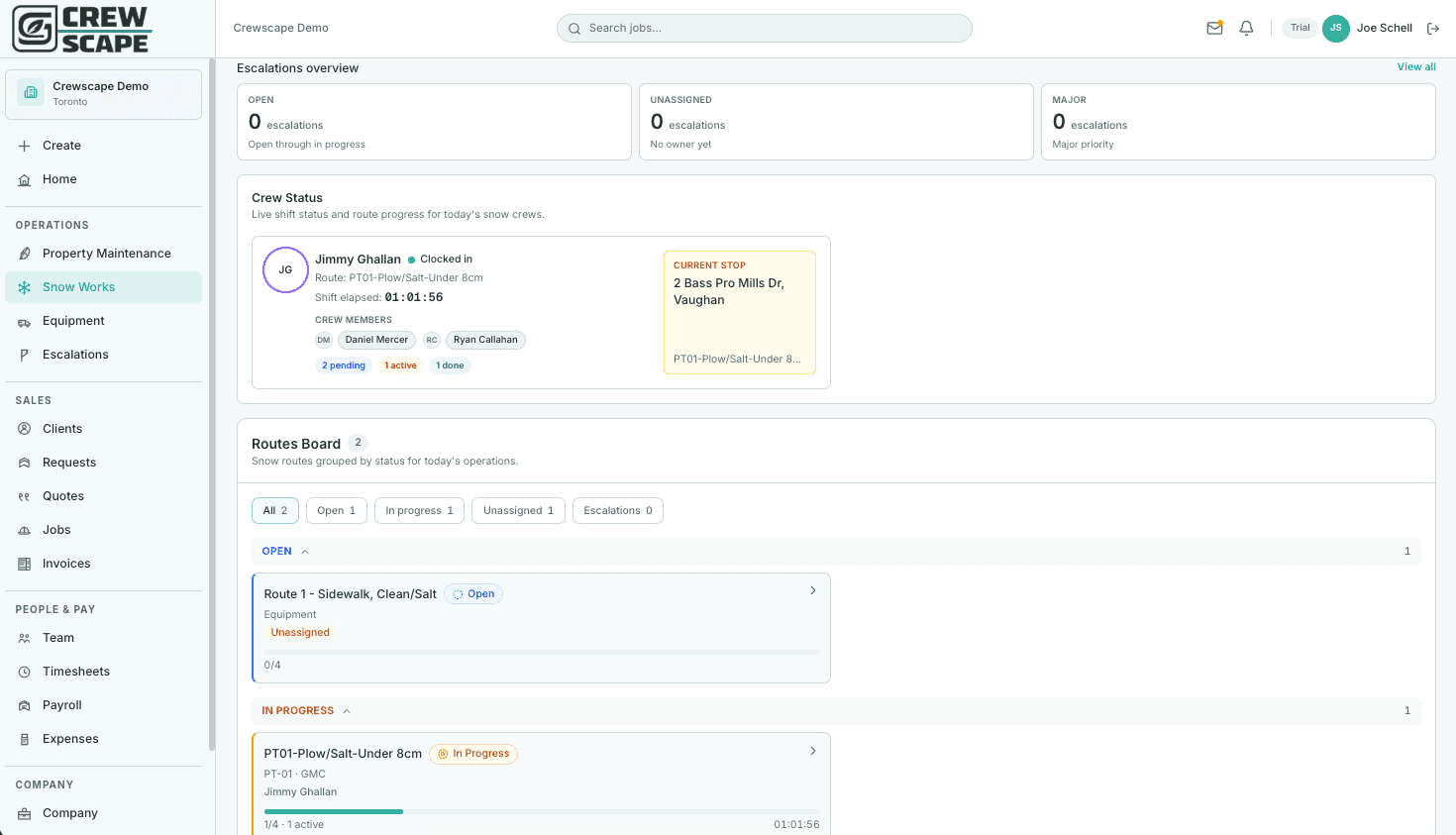
In Crewscape’s Snow Works, you can build routes using existing snow jobs, keeping the route connected to job tracking and invoicing. You can also pin stops that need a specific position and optimize the remaining stops around them.
Give each route a primary operator and decide how you’ll cover it if someone is unavailable. Leave room for delays—a route that only works when every stop goes perfectly gives you little flexibility during a storm.
4. Test Your Equipment as a Complete Setup
Starting a truck isn’t the same as confirming it’s ready to work.
Mount the plow, connect the spreader, and test the equipment together. Follow your maintenance procedures to check lights, hydraulic functions, electrical connections, hoses, cutting edges, tires, and other service items.
Make sure operators know how to use the specific equipment they’ve been assigned.
Check the smaller equipment as well. Snowblowers, shovels, spare batteries, and sidewalk supplies can become the reason a crew falls behind.
Crewscape’s equipment maintenance and repair logs help you keep track of reported issues and the work performed. Review outstanding items before the season so you can decide what needs attention before equipment goes into service.
5. Set Your Storm Communication Process
During a storm, scattered calls and messages make it difficult to understand what’s happening.
Before the season, decide:
- Who gives the instruction to begin service.
- Where employees check their assignments.
- How crews report completed work.
- How operators flag delays, breakdowns, or inaccessible areas.
- Who handles customer requests and route changes.
Keep the process simple enough to follow during a busy shift. Employees should know what they can decide themselves and what needs approval.
With Crewscape’s dedicated snow dispatch and escalation tracking, you can organize the work and keep attention on issues that need a response. Agree on how your team will use those tools before the first event.
6. Make Service Records Part of Every Visit
Decide what your crews need to record before the first storm.
Depending on the work, that may include arrival and departure times, services performed, photos, material usage, and notes about unusual conditions.
Clear records help the office answer customer questions, review completed work, and prepare invoices. They also give you useful information when you’re assessing how a route performed.
Crewscape’s time tracking and job photo tools help your team document work as it happens. Make recording the visit part of the routine, rather than something everyone tries to remember after the shift.
7. Review the First Storm With Your Team
Your first event will teach you things your preseason planning couldn’t.
Ask your operators:
- Which property instructions were missing?
- Which stops took longer than expected?
- Where did equipment or access cause delays?
- What should change before the next storm?
Use your job records and crew feedback together. Update the affected routes, property instructions, and maintenance items while the details are still fresh.
Fixing a small problem after the first event can prevent it from repeating all winter.
Get Ready Before the Forecast Turns
Preparing for snow season means giving your team clear instructions, workable routes, reliable equipment, and a consistent way to report what happened.
Crewscape was built by a landscaper to help manage that day-to-day work. From Snow Works route building to equipment records and crew time tracking, it helps keep your operation organized before, during, and after a storm.
Start free today at crewscape.com and get your snow operation ready for the season.
Ready to run your operation on Crewscape?
Start Free Today